Web App TalentLink

Anders brand wordmark in white placed on top of an image of a modern interior design.

About TalentLink

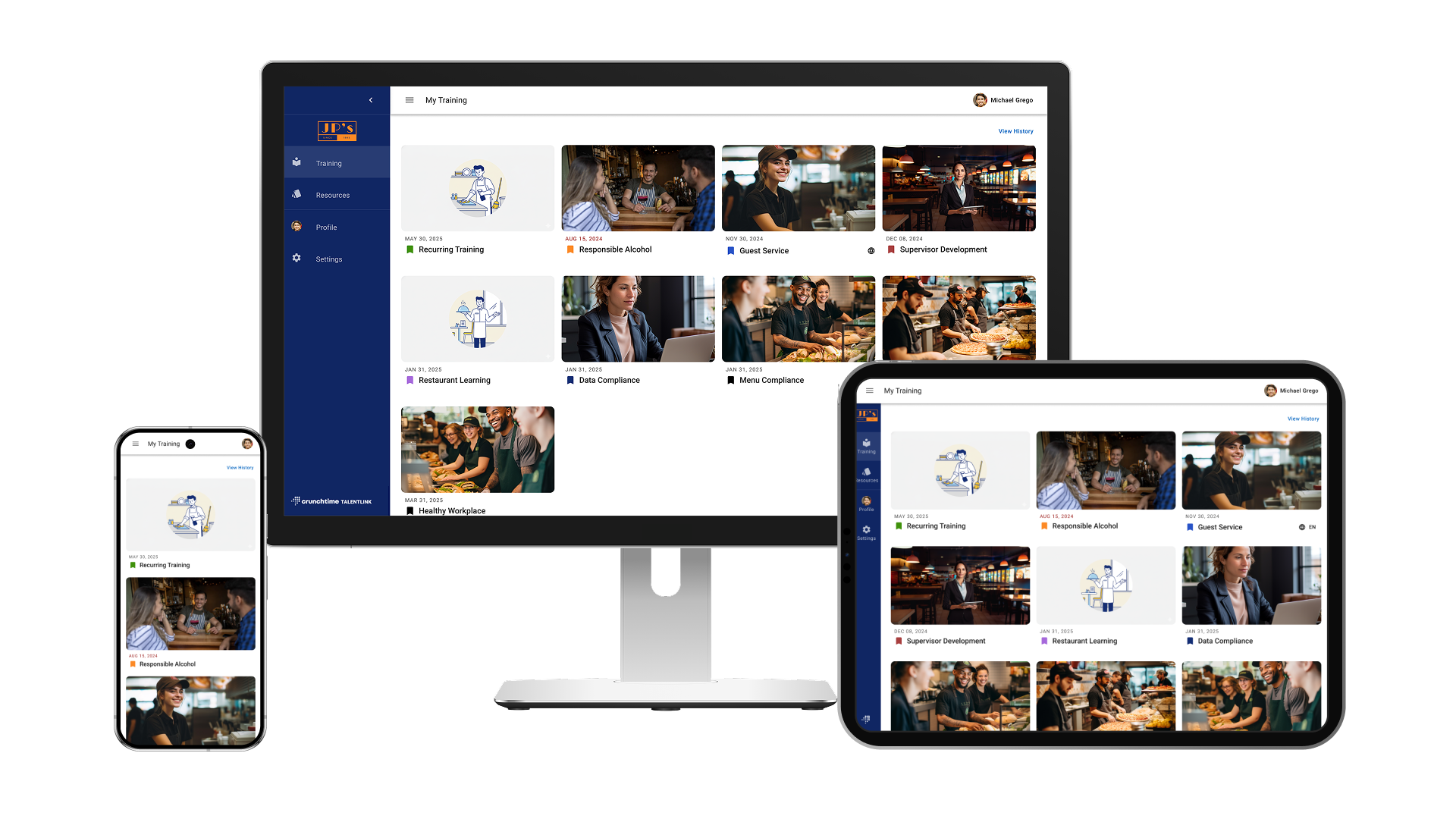
With the cross-platform framework nearing deprecation, I led research to uncover adoption and usability issues, then guided the visual redesign and introduced reusable design guidelines that improved consistency and sped up delivery, preserving uninterrupted training access for thousands of active users.

Timeframe: ~5 months

Role: Lead Product Designer

Team: Project manager, Full-stack Engineers, Marketing Manager

App Reach: ~30k users

Problem

Thousands of frontline employees risked losing reliable on-the-go access to training because the mobile app was built on a cross-platform framework facing a 6-month deprecation deadline. An app that already suffered from subpar usability, poor content discoverability, and difficult navigation adds to the confusion during installation.

Solution

I focused on improving the usability, accessibility, and content findability to deliver an up-to-standard experience that aligned with user expectations while adhering to Crunchtime's design guidelines for consistency. A scalable navigation and a reusable design system improved performance and set a strong foundation for future updates. Constant communication with customers and stakeholders allowed the team to deprecate low-value features, reducing support workload.

Icons

Design Process

Project Challenges

  • Backend technology limitations that might impact information display
  • Unstable backend causing development bugs
  • Engineering team new to React
  • Communicating and negotiating the deprecation of features with stakeholders

Research and Analysis

I mapped the current solution to clarify the existing experience, enabling internal stakeholders to visualize all key screens and friction points throughout the user journey, as reported by the support team. I also conducted a Heuristic analysis of key flows, which helped reveal inconsistencies in the UI and incorrect use of affordances. 

This collaborative exercise, plus a series of user interviews, revealed three key findings:


  1. The app was misaligned with its core value proposition: empowering users to identify pending training, prioritize tasks, and complete them on time.
  2. User interviews revealed several underused features that diluted the overall experience, indicating opportunities to simplify and focus on the mobile app's primary areas: My training, QR code scan, and Resources.
  3. Heuristic Evaluation revealed inconsistent UI and incorrect use of affordances, which confused the user

User research clarified our two primary user profiles:

Learner - Personal Device

Learner - Store Device

Guiding Principles

Speed over innovation

I proposed leveraging Material UI library components for rapid development, and minimizing custom design work. I synced with the designers on the other products to ensure adherence to Crunchtime’s product family guidelines. Worked closely with engineers during the development phase to oversee design implementation, as no living Design System in scope.

Mobile first

Given that 68% of training is completed on tablets, and key customers increasingly requesting smartphone use across locations, the primary goal was to generate a solution that is adaptable and scalable across all platforms.

Design Execution

Streamlined navigation with user intent in mind

I organized the navigation around user intent so people can quickly find what they need and stay focused on completing their task. This approach would better facilitate scaling navigation as new features and user profiles are considered.


Talentlink allowed branded customization, but the fixed navigation text color caused poor readability on light backgrounds, creating accessibility issues. To maintain brand flexibility while ensuring legible navigation items, I proposed dynamically adjusting the text color based on the background color to ensure sufficient contrast to pass WCAG2 AA.

Ruthless prioritization

Geofencing was not providing the safety, so I held a brainstorming session to find a better way to ensure the correct use of the training content. The solution provided an attestation message to legally bind the proper use of the content within the store and schedule.


Data showed that only 16% of customers used the trophy case, a feature for recognizing learning and achievements, and that it received fewer than 45 monthly visits in the app. Usage on the web showed similar patterns, where the leaderboard drove higher engagement. The PM and I presented the case to stakeholders and retired the trophy case, reallocating efforts toward prioritizing features that users value the most.

Visual improvements

The design was inconsistent and not up to industry standards, so I explored and tested several designs until landing on the best version for the platform. I focused on creating a visual identity that matched Crunchtime’s product family, delivering an app with easy navigation and scalable design foundations.

Providing clarity

Users were often confused because the Personal and Store app experiences looked alike and followed nearly identical installation steps. Therefore, I eliminated ambiguity by labeling the experience users were about to install. Additionally, I reduced user friction by showing menu options valid for store devices and exposing the login option in the menu to facilitate login and logout.

Project Outcomes

Constant communication with stakeholders and customers drove project's success.


  • Deprecated 3 unused features in the app without major customer disruption: Messaging, Trophy case, and Geofencing.
  • 13% increase in weekly app visits
  • Up to 5-second loading time reduction on key screens
  • 70% estimated drop in mobile app support tickets
Icons

Other Projects

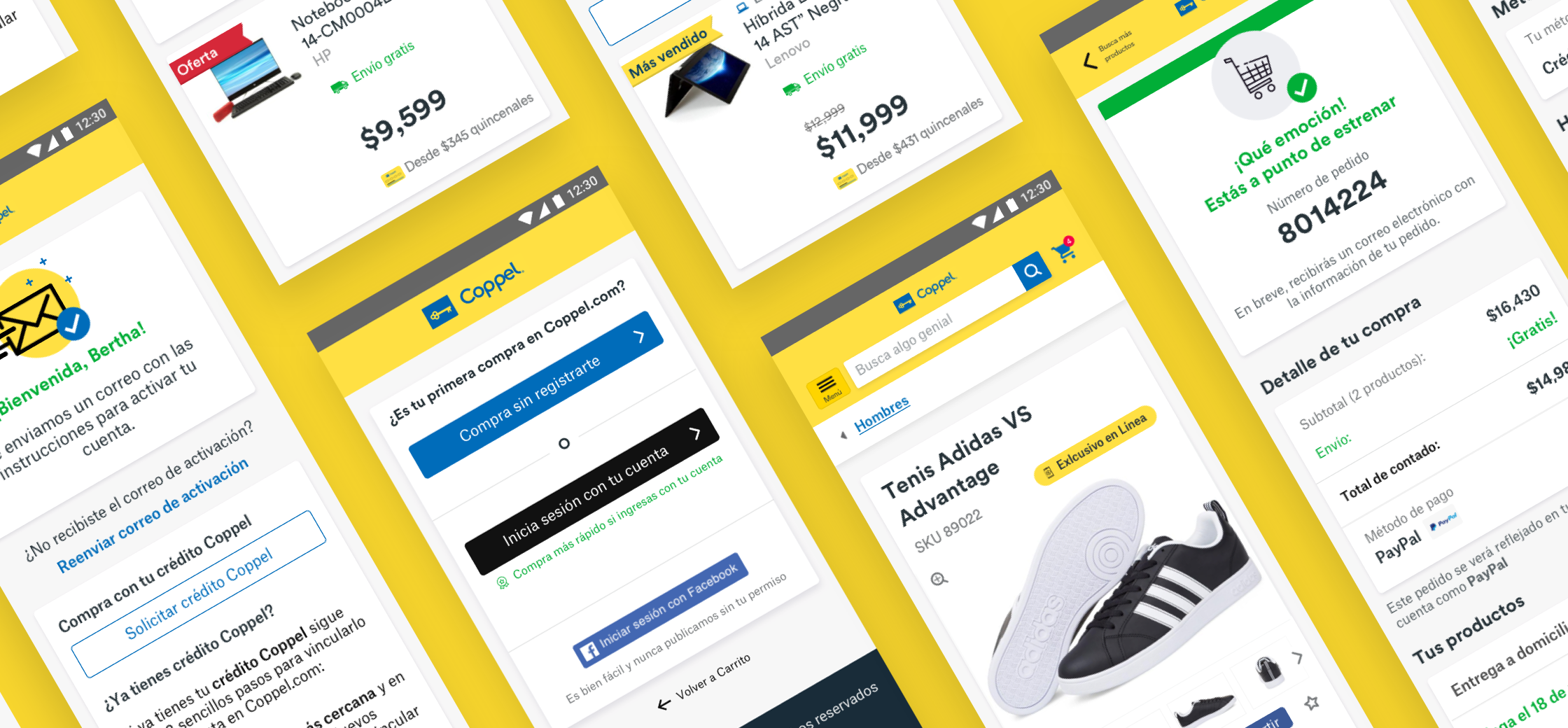
Mobile e-commerce app screens from Coppel showing interfaces of product listings, shopping cart, purchase summary, and account sign-in arranged in an angled layout

Coppel Project

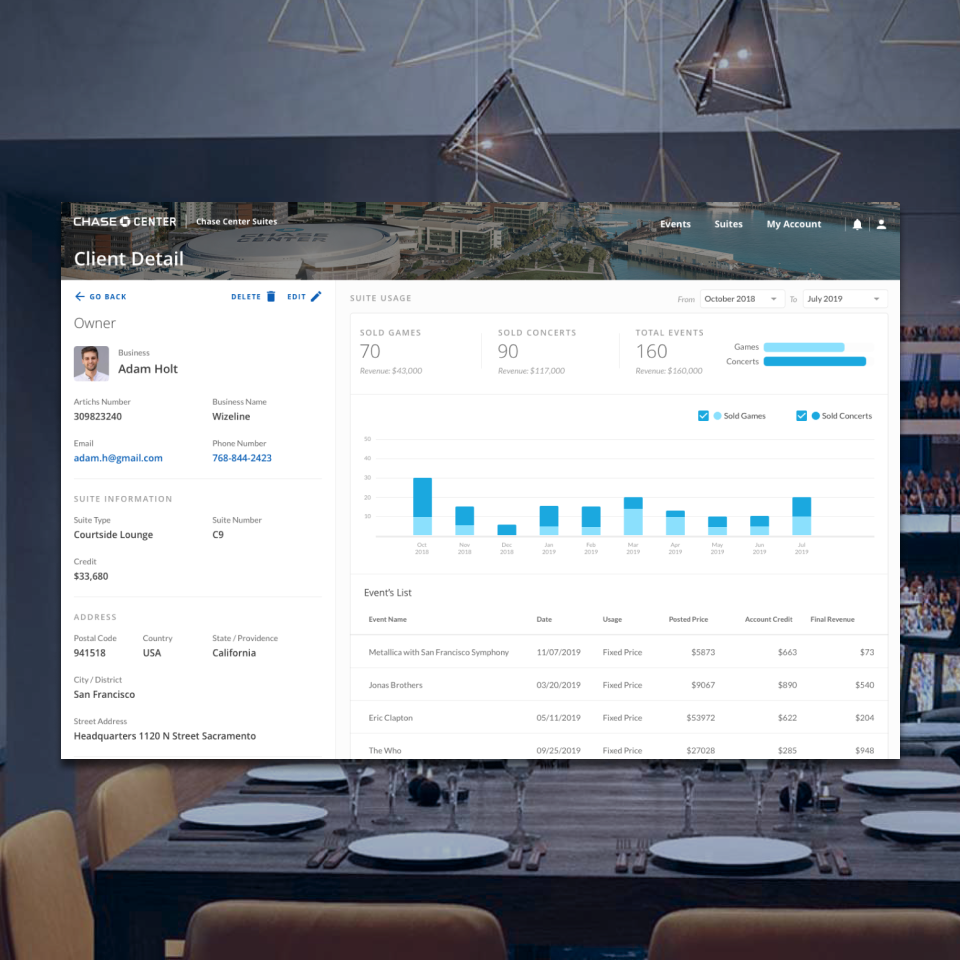
Management dashboard screen preview for Chase Center Premium Suites displayed over a blurred background of an upscale dining table and arena seating

Chase Center Suites Project

Icons

CONTACT

c.ivonne.diaz@gmail.com

SOCIAL

LinkedIn

Behance

Web App TalentLink

Anders brand wordmark in white placed on top of an image of a modern interior design.

About TalentLink

With the cross-platform framework nearing deprecation, I led research to uncover adoption and usability issues, then guided the visual redesign and introduced reusable design guidelines that improved consistency and sped up delivery, preserving uninterrupted training access for thousands of active users.

Timeframe: ~5 months

Role: Lead Product Designer

Team: Project manager, Full-stack Engineers, Marketing Manager

App Reach: ~30k users

Problem

Thousands of frontline employees risked losing reliable on-the-go access to training because the mobile app was built on a cross-platform framework facing a 6-month deprecation deadline. An app that already suffered from subpar usability, poor content discoverability, and difficult navigation adds to the confusion during installation.

Solution

I focused on improving the usability, accessibility, and content findability to deliver an up-to-standard experience that aligned with user expectations while adhering to Crunchtime's design guidelines for consistency. A scalable navigation and a reusable design system improved performance and set a strong foundation for future updates. Constant communication with customers and stakeholders allowed the team to deprecate low-value features, reducing support workload.

Icons

Design Process

Project Challenges

  • Backend technology limitations that might impact information display
  • Unstable backend causing development bugs
  • Engineering team new to React
  • Communicating and negotiating the deprecation of features with stakeholders

Research and Analysis

I mapped the current solution to clarify the existing experience, enabling internal stakeholders to visualize all key screens and friction points throughout the user journey, as reported by the support team. I also conducted a Heuristic analysis of key flows, which helped reveal inconsistencies in the UI and incorrect use of affordances. 

This collaborative exercise, plus a series of user interviews, revealed three key findings:


  1. The app was misaligned with its core value proposition: empowering users to identify pending training, prioritize tasks, and complete them on time.
  2. User interviews revealed several underused features that diluted the overall experience, indicating opportunities to simplify and focus on the mobile app's primary areas: My training, QR code scan, and Resources.
  3. Heuristic Evaluation revealed inconsistent UI and incorrect use of affordances, which confused the user

User research clarified our two primary user profiles:

Learner - Personal Device

Learner - Store Device

Guiding Principles

Speed over innovation

I proposed leveraging Material UI library components for rapid development, and minimizing custom design work. I synced with the designers on the other products to ensure adherence to Crunchtime’s product family guidelines. Worked closely with engineers during the development phase to oversee design implementation, as no living Design System in scope.

Mobile first

Given that 68% of training is completed on tablets, and key customers increasingly requesting smartphone use across locations, the primary goal was to generate a solution that is adaptable and scalable across all platforms.

Design Execution

Streamlined navigation with user intent in mind

I organized the navigation around user intent so people can quickly find what they need and stay focused on completing their task. This approach would better facilitate scaling navigation as new features and user profiles are considered.


Talentlink allowed branded customization, but the fixed navigation text color caused poor readability on light backgrounds, creating accessibility issues. To maintain brand flexibility while ensuring legible navigation items, I proposed dynamically adjusting the text color based on the background color to ensure sufficient contrast to pass WCAG2 AA.

Ruthless prioritization

Geofencing was not providing the safety, so I held a brainstorming session to find a better way to ensure the correct use of the training content. The solution provided an attestation message to legally bind the proper use of the content within the store and schedule.


Data showed that only 16% of customers used the trophy case, a feature for recognizing learning and achievements, and that it received fewer than 45 monthly visits in the app. Usage on the web showed similar patterns, where the leaderboard drove higher engagement. The PM and I presented the case to stakeholders and retired the trophy case, reallocating efforts toward prioritizing features that users value the most.

Visual improvements

The design was inconsistent and not up to industry standards, so I explored and tested several designs until landing on the best version for the platform. I focused on creating a visual identity that matched Crunchtime’s product family, delivering an app with easy navigation and scalable design foundations.

Providing clarity

Users were often confused because the Personal and Store app experiences looked alike and followed nearly identical installation steps. Therefore, I eliminated ambiguity by labeling the experience users were about to install. Additionally, I reduced user friction by showing menu options valid for store devices and exposing the login option in the menu to facilitate login and logout.

Project Outcomes

Constant communication with stakeholders and customers drove project's success.


  • Deprecated 3 unused features in the app without major customer disruption: Messaging, Trophy case, and Geofencing.
  • 13% increase in weekly app visits
  • Up to 5-second loading time reduction on key screens
  • 70% estimated drop in mobile app support tickets
Icons

Other Projects

Mobile e-commerce app screens from Coppel showing interfaces of product listings, shopping cart, purchase summary, and account sign-in arranged in an angled layout

Coppel Project

Management dashboard screen preview for Chase Center Premium Suites displayed over a blurred background of an upscale dining table and arena seating

Chase Center Suites Project

Icons

CONTACT

c.ivonne.diaz@gmail.com

SOCIAL

LinkedIn

Behance

Web App TalentLink

Anders brand wordmark in white placed on top of an image of a modern interior design.

About TalentLink

With the cross-platform framework nearing deprecation, I led research to uncover adoption and usability issues, then guided the visual redesign and introduced reusable design guidelines that improved consistency and sped up delivery, preserving uninterrupted training access for thousands of active users.

Timeframe: ~5 months

Role: Lead Product Designer

Team: Project manager, Full-stack Engineers, Marketing Manager

App Reach: ~30k users

Problem

Thousands of frontline employees risked losing reliable on-the-go access to training because the mobile app was built on a cross-platform framework facing a 6-month deprecation deadline. An app that already suffered from subpar usability, poor content discoverability, and difficult navigation adds to the confusion during installation.

Solution

I focused on improving the usability, accessibility, and content findability to deliver an up-to-standard experience that aligned with user expectations while adhering to Crunchtime's design guidelines for consistency. A scalable navigation and a reusable design system improved performance and set a strong foundation for future updates. Constant communication with customers and stakeholders allowed the team to deprecate low-value features, reducing support workload.

Icons

Design Process

Project Challenges

  • Backend technology limitations that might impact information display
  • Unstable backend causing development bugs
  • Engineering team new to React
  • Communicating and negotiating the deprecation of features with stakeholders

Research and Analysis

To clarify the existing experience, I mapped the current solution, enabling internal stakeholders to visualize all key screens and friction points throughout the user journey. I also conducted a Heuristic analysis of key flows, which helped reveal inconsistencies in the UI and incorrect use of affordances. 

This collaborative exercise, plus a series of user interviews, revealed three key findings:


  1. The app was misaligned with its core value proposition: empowering users to identify pending training, prioritize tasks, and complete them on time.
  2. User interviews revealed several underused features that diluted the overall experience, indicating opportunities to simplify and focus on the mobile app's primary areas: My training, QR code scan, and Resources.
  3. Heuristic Evaluation revealed inconsistent UI and incorrect use of affordances, which confused the user

User research clarified our two primary user profiles:

Learner - Personal Device

Learner - Store Device

Guiding Principles

Speed over innovation

I proposed leveraging Material UI library components for rapid development, and minimizing custom design work. I synced with the designers on the other products to ensure adherence to Crunchtime’s product family guidelines. Worked closely with engineers during the development phase to oversee design implementation, as no living Design System in scope.

Mobile first

Given that 68% of training is completed on tablets, and key customers increasingly requesting smartphone use across locations, the primary goal was to generate a solution that is adaptable and scalable across all platforms.

Design Execution

Streamlined navigation with user intent in mind

I organized the navigation around user intent so people can quickly find what they need and stay focused on completing their task. This approach would better facilitate scaling navigation as new features and user profiles are considered.


Talentlink allowed branded customization, but the fixed navigation text color caused poor readability on light backgrounds, creating accessibility issues. To maintain brand flexibility while ensuring legible navigation items, I proposed dynamically adjusting the text color based on the background color to ensure sufficient contrast to pass WCAG2 AA.

Ruthless prioritization

Geofencing was not providing the safety, so I held a brainstorming session to find a better way to ensure the correct use of the training content. The solution provided an attestation message to legally bind the proper use of the content within the store and schedule.


Data showed that only 16% of customers used the trophy case, a feature for recognizing learning and achievements, and that it received fewer than 45 monthly visits in the app. Usage on the web showed similar patterns, where the leaderboard drove higher engagement. The PM and I presented the case to stakeholders and retired the trophy case, reallocating efforts toward prioritizing features that users value the most.

Visual improvements

The design was inconsistent and not up to industry standards, so I explored and tested several designs until landing on the best version for the platform. I focused on creating a visual identity that matched Crunchtime’s product family, delivering an app with easy navigation and scalable design foundations.

Providing clarity

Users were often confused because the Personal and Store app experiences looked alike and followed nearly identical installation steps. Therefore, I eliminated ambiguity by labeling the experience users were about to install. Additionally, I reduced user friction by showing menu options valid for store devices and exposing the login option in the menu to facilitate login and logout.

Project Outcomes

Constant communication with stakeholders and customers drove project's success.


  • Deprecated 3 unused features in the app without major customer disruption: Messaging, Trophy case, and Geofencing.
  • 13% increase in weekly app visits
  • Up to 5-second loading time reduction on key screens
  • 70% estimated drop in mobile app support tickets
Icons

Other Projects

Mobile e-commerce app screens from Coppel showing interfaces of product listings, shopping cart, purchase summary, and account sign-in arranged in an angled layout

Coppel Project

Management dashboard screen preview for Chase Center Premium Suites displayed over a blurred background of an upscale dining table and arena seating

Chase Center Suites Project